FLIGHT COMPUTER · E6B EDITION
PFMA E6B
Support & manual
Pocket Flight Management Assistant is a flight computer designed for the professional pilot, with a familiar look resembling the computers onboard modern automated cockpits.
The E6B Edition emulates the functions of the traditional “Wizz Wheel” for flight planning and inflight aviation calculations.
Manual in English · PDF · Also available in the app under SETUP → MANUAL
THE FLIGHT COMPUTER
The calculations you know.
The controls you recognise.
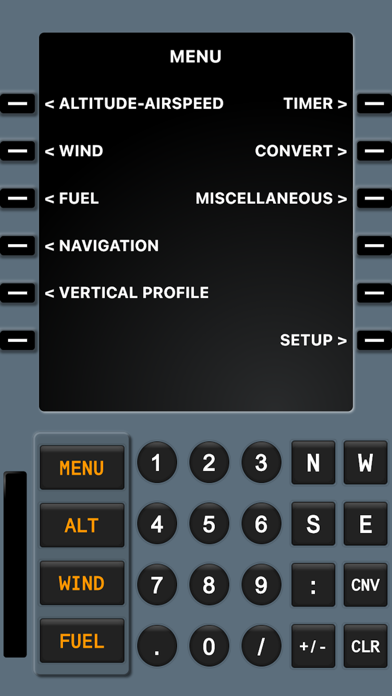
Configurable units, customizable quick-access buttons, an inflight keypad, basic math and selectable colour themes.
Flight planning
Airspeed and altitude, wind triangle, runway crosswind, fuel usage and unit conversions.
Navigation & profile
Great-circle point-to-point navigation, climb and descent profiles, block and airtime chronographs.
More flight tools
Holding patterns, sunrise and sunset, rate of turn and cold-temperature correction.
Inside PFMA E6B
Images from the PFMA E6B Full App Store listing. Swipe or scroll to explore.
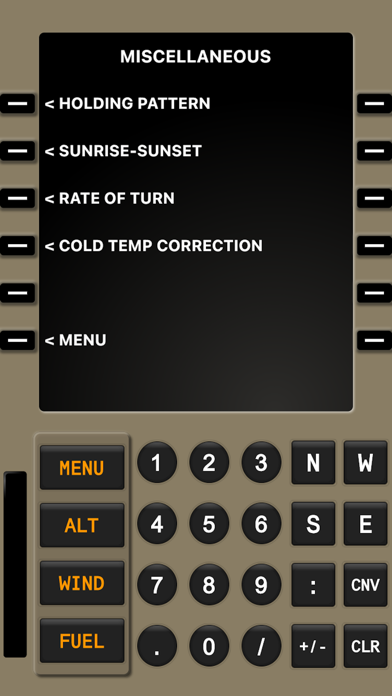
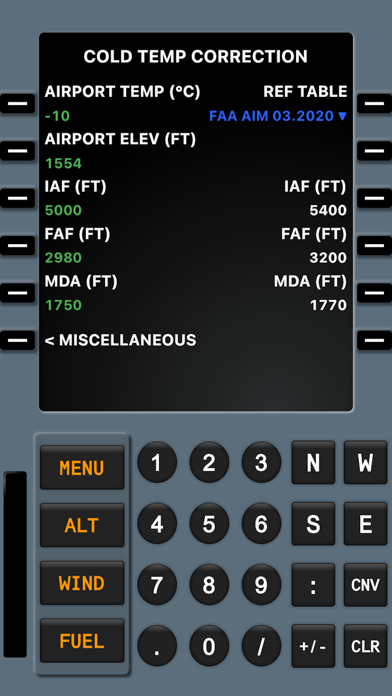
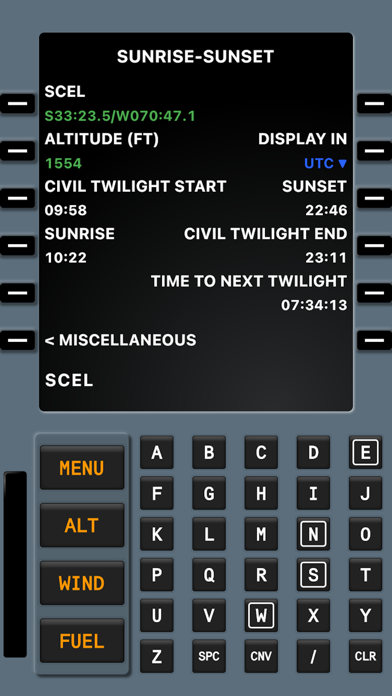
PFMA E6B Full includes its complete set of calculators. Lite is a separate app: free tools and optional modules depend on the platform and version. The store listing shows the features available for your device.
KEEP IT HANDY
The PFMA E6B manual
From entering values in the scratchpad to working with navigation, units and timers. Open the same PDF included with the app, or save a copy for offline reference.
Open manual PDFSETUP→MANUAL
The app interface and manual are in English.Q&A
A few answers before you fly.
Practical guidance from PFMA support. Start here, or get in touch if you need a hand.
No matching answer. Try another term or contact support below.
Using the calculators
What do I need to enter to see density altitude?
Open ALTITUDE-AIRSPEED and enter enough information for the calculation, such as pressure altitude and OAT (Outside Air Temperature). DENSITY ALT appears once the required inputs are available. If an input is missing, the result remains blank.
Which format should I use for latitude and longitude?
Use hemisphere letters and a colon between degrees and minutes. For example:
N50:00.0/W050:00.0Seconds can also be entered explicitly, for example N50:00:34/W050:01:20. Use the / separator before longitude. See the manual for the coordinate-entry controls in your version.
How can I show scratchpad time as hours, minutes and seconds?
Press CNV repeatedly to cycle the numerical value in the scratchpad through the available formats, including HH:mm:ss. This also helps when adding or subtracting time values.
How do I start over when existing inputs affect the result?
Press and hold CLR, then select an editable field to apply CLR ALL to the current calculator. Re-enter the values for the new calculation. For time, distance and ground-speed calculations, use NAVIGATION.
What does XING ALT mean on the Vertical Profile screen?
XING ALT is an approximate temperature-corrected altitude reference using the entered airport temperature and a constant lapse rate. It helps illustrate how temperature affects the descent profile. It is a situational-awareness reference; consult the manual for the calculation and its limitations.
Settings & timers
Can I choose a different cockpit colour theme?
Yes. Go to SETUP → OPERATION and change THEME. The available themes include BLUE, DESERT and GREY.
Where can I turn off the keypad click?
Go to SETUP → OPERATION and set SOUND to OFF.
Can I give the timers their own names?
Versions with the alphanumeric keypad support names for the timers. Use the keyboard to enter a timer label; the manual explains the timer controls.
Installing & purchases
Do I need to buy PFMA E6B again when I replace my iPhone?
Sign in on the new iPhone with the same Apple Account used for the original app purchase, then download PFMA E6B again from your App Store purchase history. You should not have to buy the same app again. If you have trouble finding the purchase, contact support.
How do optional module purchases work in Lite?
In Lite versions that offer module purchases, an asterisk marks an optional purchase. Select it to review the calculations, screenshots and current store price. Miscellaneous offers individual modules and a package. After a module purchase, UNLOCK ALL can offer the remaining modules inside Lite at an eligible package price.
Before any module purchase, BUY FULL opens the separate paid PFMA E6B app. Buying that separate app does not unlock Lite or transfer purchases between the two apps.
How do I request restoration of Lite modules?
Use the same store account that made the original module purchases. Open a locked item and choose Restore purchases. Connect to the internet so the store and verification service can check the purchases.
Can I use the calculators without a connection?
The calculators work offline. A purchased module needs to be verified and saved on the device first. Buying modules, restoring purchases on a new installation and checking purchase validity require an internet connection.
PFMA SUPPORT
Still need a hand?
Tell us which PFMA app and version you use, your device model and what happened. A screenshot and the values you entered can help us understand the problem.
support.pfma@gmail.comTambién puedes escribirnos en español.